SQL editor
An editor that reads your SQL.
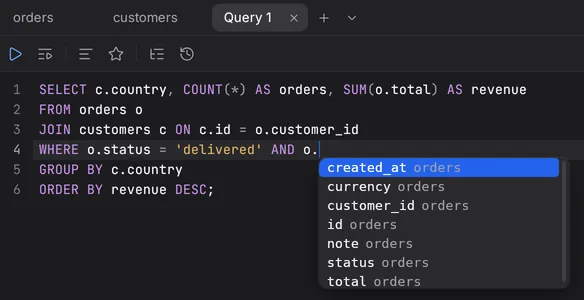
Completion follows the statement you are in, not a list of every word in the database.
- Knows the context. Tables after FROM, the columns of the alias you typed, the keywords that fit.
- Errors before you run. Syntax mistakes are underlined as you type.
- Variables.
? and :name ask for a value and stay in your SQL. - Runs what you mean. Ctrl Enter runs the statement under the cursor. A script runs one statement at a time.
Safe mode
Safe on production.
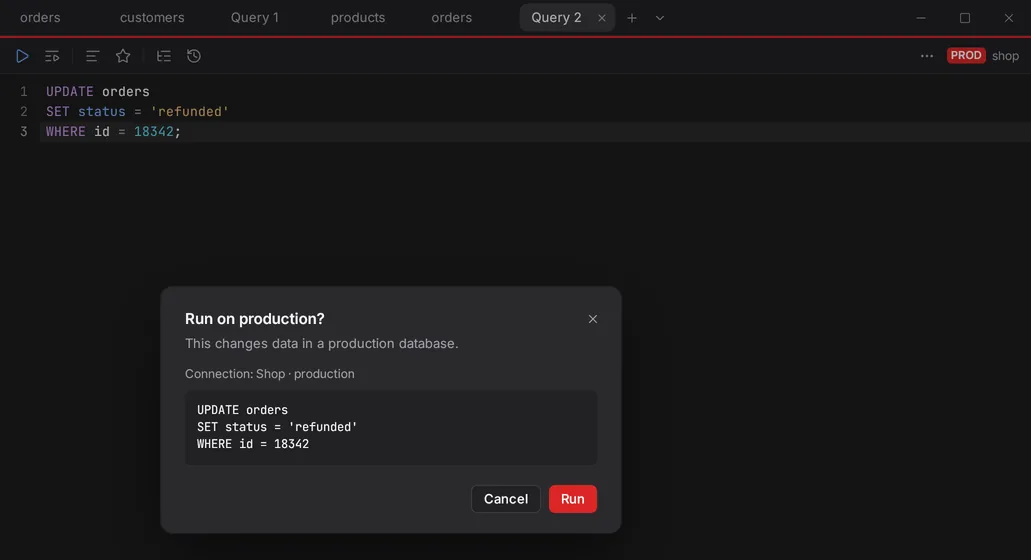
Mark a connection as production or staging. Quarry checks every statement before it runs.
- PROD asks before any write.
- STAGING asks before
DROP, TRUNCATE, and UPDATE or DELETE without WHERE. - Read-only connections refuse writes.
- A red line on every production tab, so you always know where you are.
Data editing
Edit like a spreadsheet. Save like a transaction.
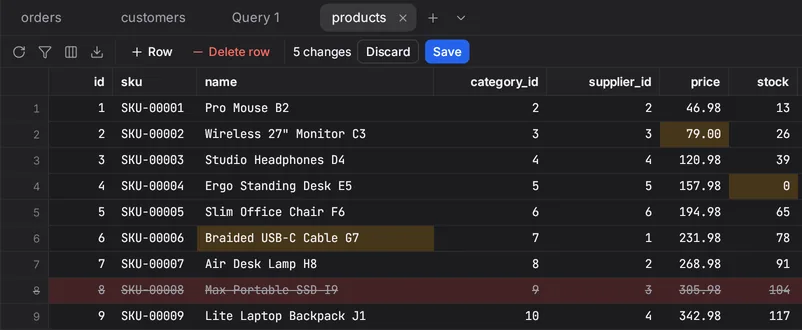
Change cells, set NULL, add and delete rows. Every change stays marked until you save.
- One transaction. All changes go in, or none do.
- Query results too, when they come from one table.
- Discard brings everything back.
 Quarry


